Recover Permanently Deleted Photos on Windows
Learn how to recover permanently deleted photos on Windows 11/10 after Shift+Delete, formatting, or Recycle Bin deletion.
Have you permanently deleted photos on your Windows PC and think they are gone forever? Whether you used Shift + Delete, emptied the Recycle Bin, or formatted your drive, you can recover photos after shift delete and recover photos after recycle bin is empty.
Deleted photos are not immediately erased. The system only removes their reference, while the data remains until overwritten. With professional photo recovery software windows, you can restore permanently deleted photos quickly and safely.
Common Reasons for Permanent Photo Loss
- Shift + Delete removal of photos
- Emptying the Recycle Bin
- Formatting of hard drive or memory card
- Virus or malware attack
- System crash or corruption
- Accidental deletion from USB or SD card
What to Do Immediately After Photo Loss
- Stop using the drive immediately
- Avoid saving new files on the same location
- Do not install recovery software on the same drive
- Use reliable recovery software quickly
Best Way to Recover Permanently Deleted Photos
Amrev best photo recovery software for windows 11 is designed to recover permanently deleted photos on Windows drive, USB drives, SD cards, and other storage devices.
It uses advanced scanning technology to locate and restore lost images even after permanent deletion or formatting.
Free Trial with Preview Option
The software offers a free trial — you can get started with the photo recovery software free download for Windows that allows you to scan and preview recoverable photos before purchasing.
Recover permanently deleted photos quickly using professional recovery software.
✔ Supports Windows 11/10 | ✔ Preview before recovery | ✔ Safe & secure
Recover your photos before they are permanently overwritten.
Trusted by thousands of users for reliable photo recovery.
Steps to Recover Permanently Deleted Photos
Step 1: Install the Software
Download and install the software. Avoid installing it on the same drive.
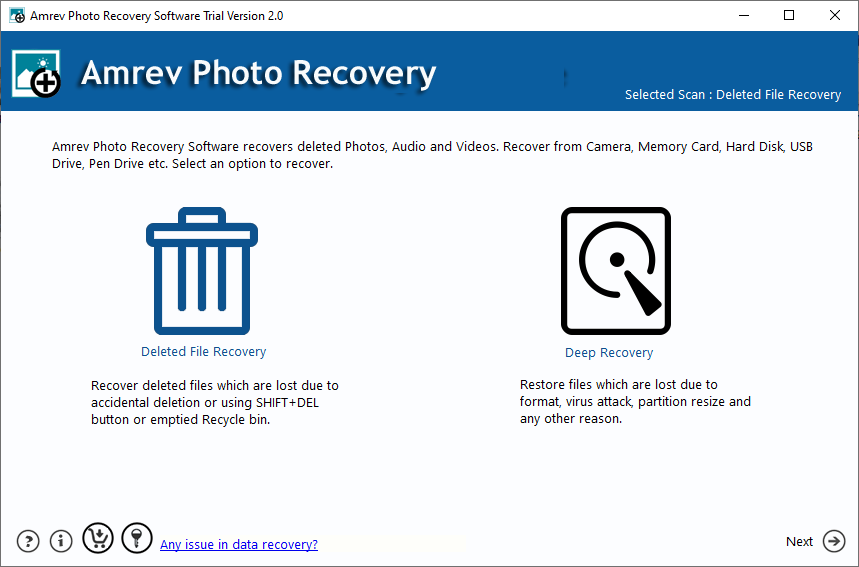
Step 2: Select the Drive
Select the drive where photos were deleted.
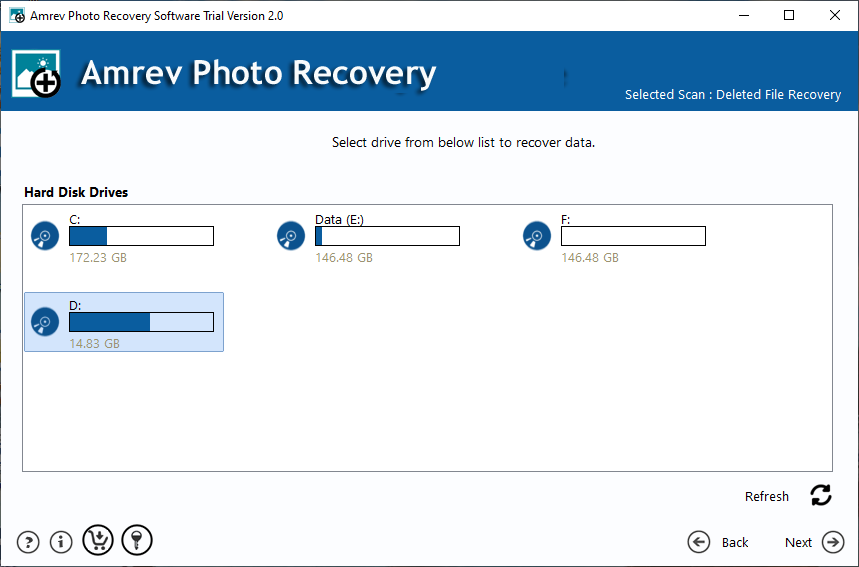
Step 3: Scan the Drive
Run a deep scan to locate deleted images.
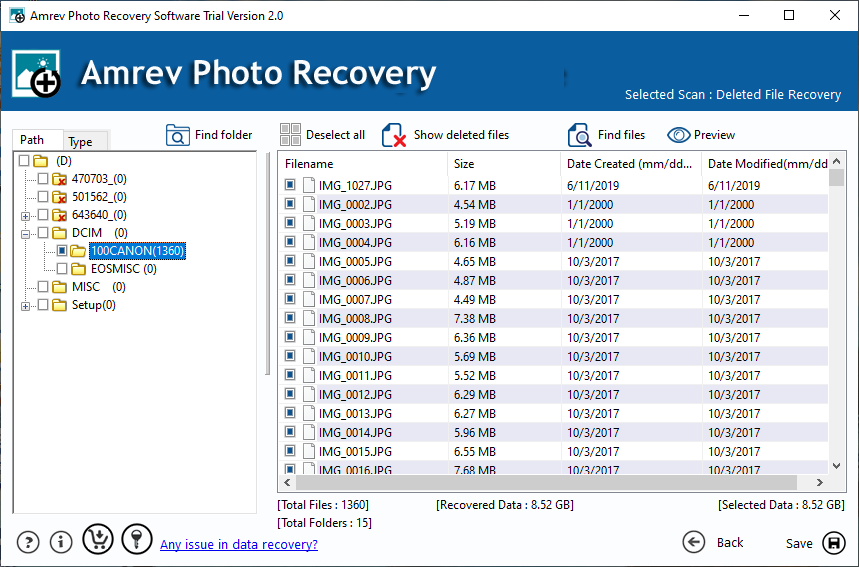
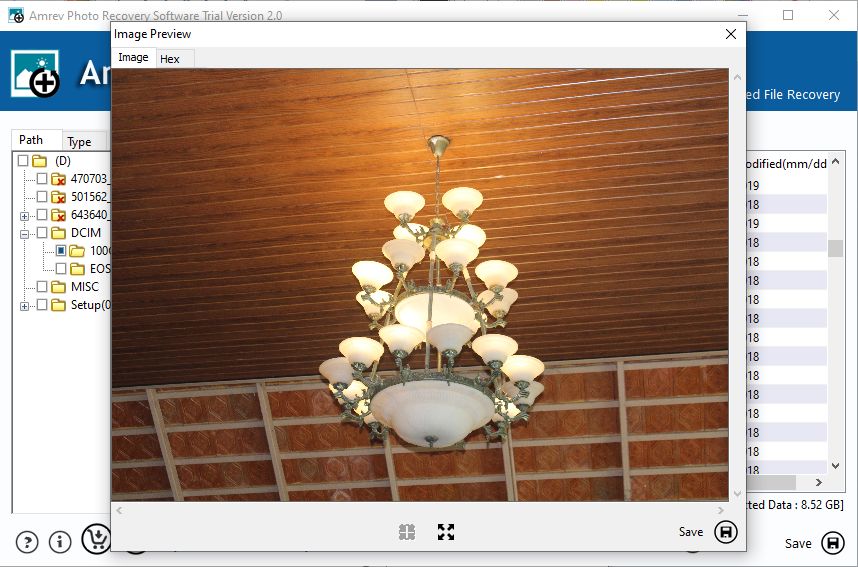
Step 4: Preview and Recover
Preview and recover photos to another location.
What Happens When Photos Are Permanently Deleted?
When photos are deleted permanently, they are removed from the file system but remain on the storage device until overwritten.
Recovery software scans these hidden areas and restores deleted photos effectively.
Tips to Increase Recovery Success
- Stop using the drive immediately
- Avoid overwriting deleted data
- Use reliable recovery software
- Recover files to another drive
Frequently Asked Questions
Can permanently deleted photos be recovered?
Yes, if they are not overwritten.
What happens after Shift + Delete?
The file is removed but still exists on the storage device.
Can I recover photos after emptying Recycle Bin?
Yes, recovery software can restore them.
Is photo recovery safe?
Yes, it works in read-only mode.