Recover Deleted Photos from USB Drive or SD Card on Windows
Learn how to recover deleted photos from USB drives and SD cards on Windows 11/10 using professional photo recovery software.
Photos stored on USB drives and SD cards are often at risk of accidental deletion, formatting, or corruption. Losing important images from external storage devices can be frustrating.
The good news is that deleted photos are not immediately erased. They remain recoverable until overwritten, making it possible to restore them using professional photo recovery software.
Best Photo Recovery Software for USB and SD Card
Amrev best photo recovery software for windows 11 is designed to recover deleted photos from USB drives on Windows, SD cards, memory cards, and other external storage devices with high accuracy.
Main Features
- Recover deleted photos from SD cards and USB drives on Windows
- Supports JPG, PNG, RAW and other formats
- Deep scan for permanently deleted files
- Preview photos before recovery
- Safe read-only recovery process
- Works on Windows 11 and Windows 10
Recover deleted photos from USB or SD card, including photo recovery from memory card, quickly using professional recovery software.
✔ Supports Windows 11/10 | ✔ Preview before recovery | ✔ Safe & secure
Recover your photos before they are permanently overwritten.
Trusted by thousands of users for reliable photo recovery.
Steps to Recover Deleted Photos from USB or SD Card
Step 1: Connect the Device
Connect your USB drive or SD card to your computer.
Step 2: Install the Software
Download and install the recovery software. Avoid installing it on the same device.
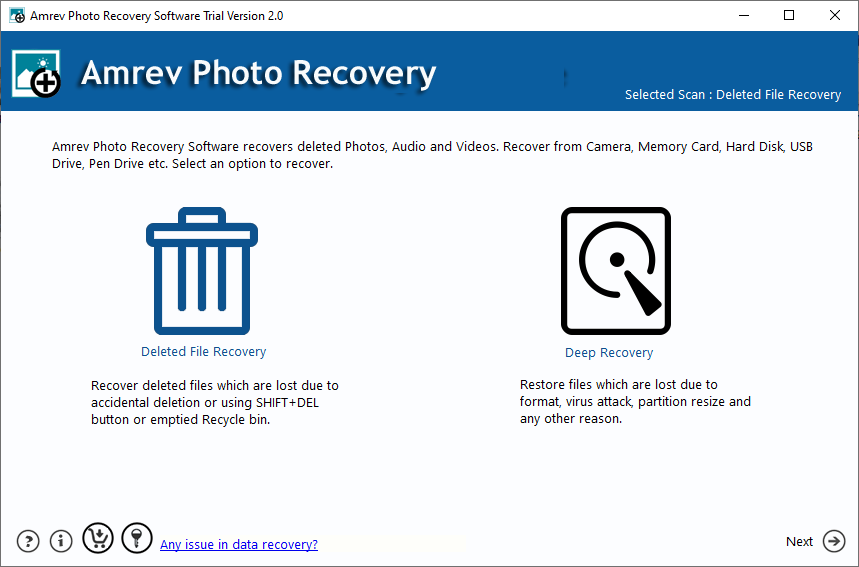
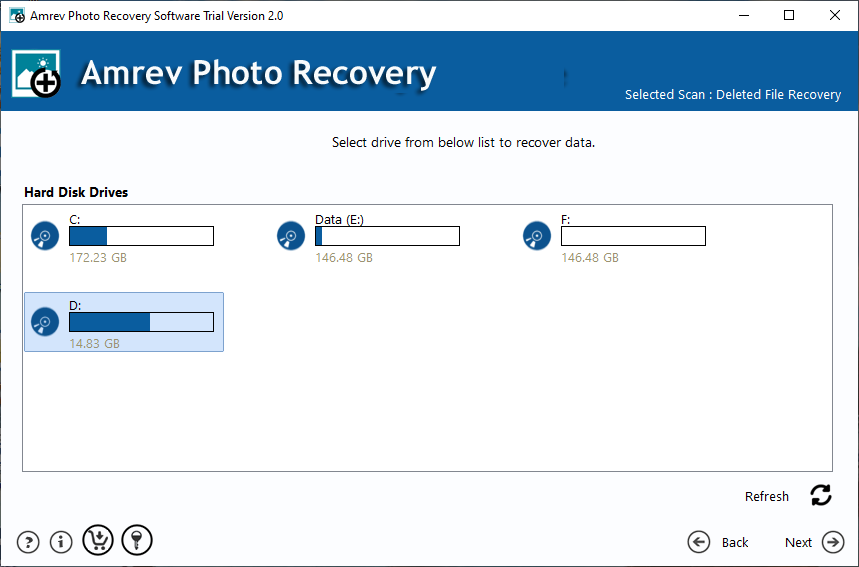
Step 3: Select the Drive
Select the USB or SD card from the list of available drives.
Step 4: Scan the Device
Run a deep scan to locate deleted photos.
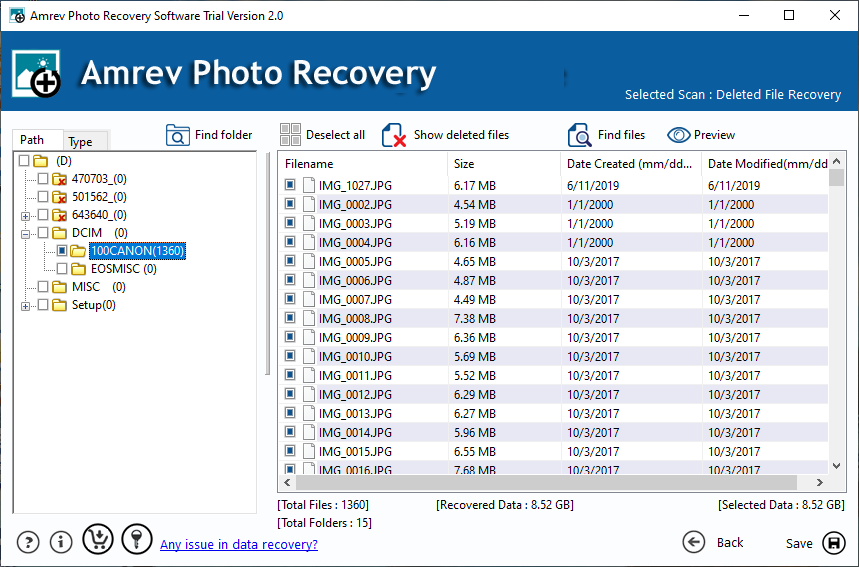
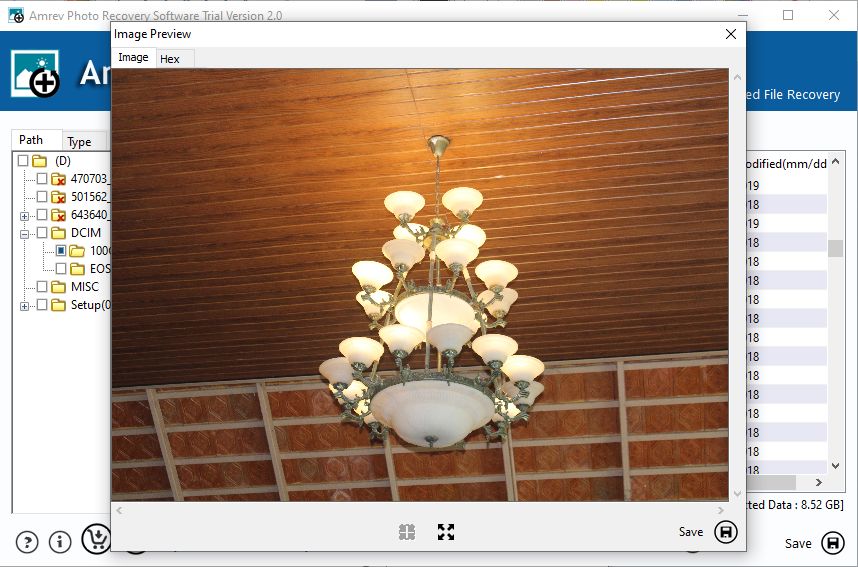
Step 5: Preview and Recover
Preview recoverable photos and save them to another location.
What Happens When Photos Are Deleted?
When photos are deleted from USB or SD card, the system marks the space as available for new data instead of removing the files completely.
If not overwritten, recovery software can scan and restore these deleted photos successfully.
Tips to Increase Recovery Success
- Stop using the device immediately after deletion
- Do not save new files on the same device
- Use reliable recovery software
- Save recovered files to a different drive