Recover Deleted Photos from Hard Drive on Windows
Learn how to recover deleted and permanently Dslr photo recovery software from a hard drive on Windows 11/10 using professional photo recovery software. This guide also helps users recover deleted images from laptop devices..
If you want to recover deleted photos from hard drive Windows, acting quickly is crucial. When photos are deleted in Windows 11 or Windows 10, they are not instantly removed from the hard drive. Instead, the system marks their space as available, which means the files can still be recovered until new data overwrites them.
Photo loss can happen due to accidental deletion, Shift + Delete, formatting, system crashes, or virus attacks. The first step is to check the Recycle Bin or restore from backups like File History. If no backup is available, using professional Dslr photo recovery software is the most effective way to retrieve lost images.
Advanced recovery tools can scan the hard drive at a deeper level to locate deleted photos, even if they are no longer visible in the system. These tools support popular formats like JPG, PNG, and RAW, helping you recover photos from different storage devices. For best results, avoid using the affected drive until recovery is complete.
Can Deleted Photos Be Recovered?
Yes, in most cases, deleted photos can be recovered as long as they have not been overwritten. When a file is deleted, only its reference is removed from the system, while the actual data remains on the hard drive. This is why quick action and reliable recovery software are essential.
What Happens When Photos Are Deleted?
- Files moved to Recycle Bin can be restored easily
- Shift + Delete removes files from the system view
- Data remains on the hard drive until overwritten
Important: Stop using the drive immediately to prevent permanent data loss.
Best Photo Recovery Software for Windows
Amrev Photo Recovery Software is designed to recover deleted and permanently lost photos from hard drives, USB drives, and memory cards. It uses advanced scanning technology to locate and restore images safely.
Key Features
- Recover deleted photos windows from hard drive and external devices
- Supports JPG, PNG, and RAW formats
- Deep scan for permanently deleted files
- Preview photos before recovery
- Safe read-only recovery process
- Simple and user-friendly interface
Recover permanently deleted photos from your hard drive quickly and safely.
✔ Works on Windows 11/10 | ✔ Preview before recovery | ✔ Secure process
Steps to recover photos from pc hard drive
Step 1: Download and Install
Install the software on a different drive to avoid overwriting lost data.
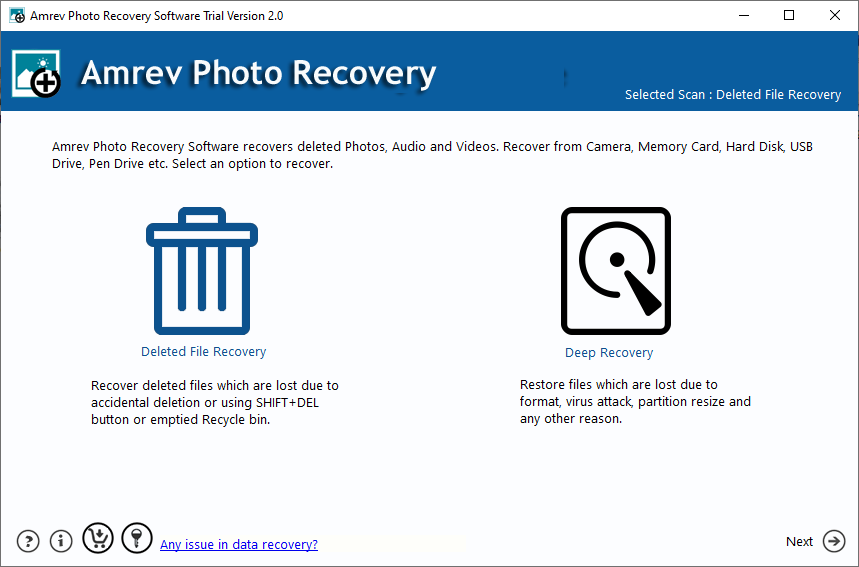
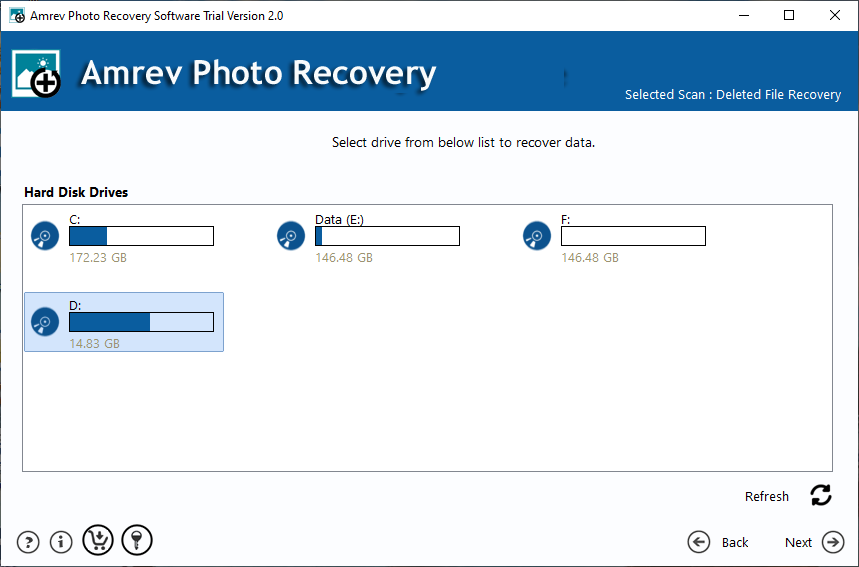
Step 2: Select the Drive
Choose the hard drive where your photos were deleted.
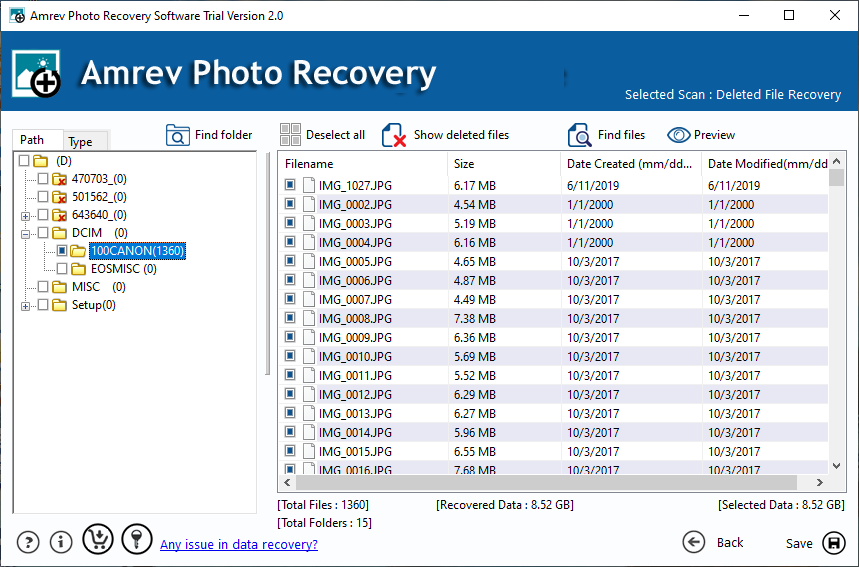
Step 3: Scan the Drive
Run a deep scan to find deleted and lost images.
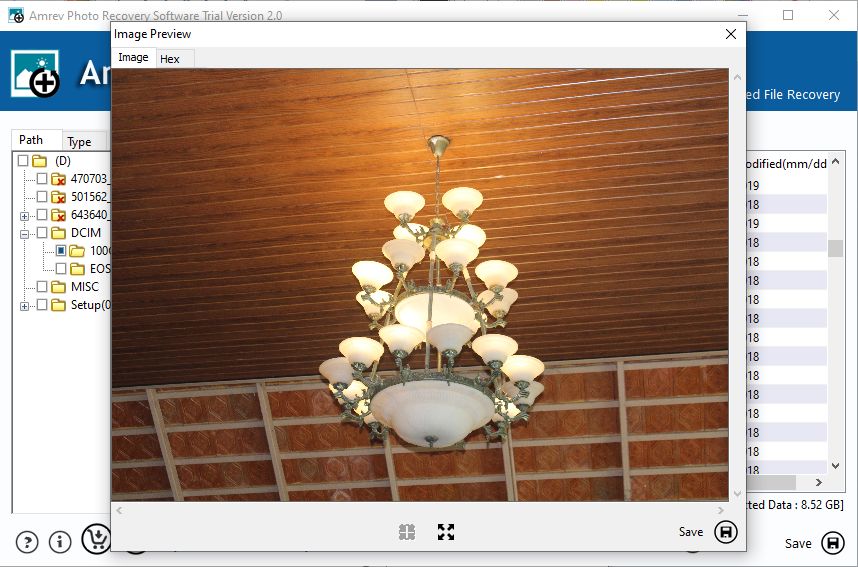
Step 4: Preview and Recover
Preview the photos and save them to a different location.
Tips to Increase Recovery Success
- Stop using the affected drive immediately
- Avoid saving new files on the same drive
- Use reliable photo recovery software
- Always save recovered files to another location
Conclusion
You can successfully recover deleted photos from hard drive Windows if you act quickly and follow the right process. Since deleted files remain on the drive until overwritten, using professional recovery software significantly improves your chances of restoring lost images.
Amrev Dslr photo recovery software offers a fast, secure, and easy way to recover deleted photos from hard drives and other storage devices. Download it today and restore your valuable memories before they are permanently lost.