How to choose Best Photo Recovery Software for Windows
Which photo recovery software is best for Windows or looking for the best photo recovery software? Losing important photos due to accidental deletion, formatting, or system errors can be frustrating. Whether your images are lost from a hard drive, USB drive, or memory card, the right recovery software can help restore them quickly and safely.
A reliable photo recovery tool should offer deep scanning, preview options, and support for multiple file formats to ensure maximum recovery success.
Why You Need Photo Recovery Software
When photos are deleted, they are not immediately removed from the storage device. Instead, the system marks the space as available, which means your images can still be recovered until overwritten.
Using professional photo recovery software increases your chances of restoring permanently deleted images with accuracy and speed.
Professional Photo Recovery Software for Windows
Amrev Photo Recovery Software is a powerful solution designed to recover deleted photos from Windows systems. It uses advanced scanning algorithms to locate and restore lost images from hard drives, USB drives, SD cards, and other storage devices.
The software is designed for both beginners and professionals, offering a simple interface with powerful recovery capabilities as a top photo recovery software for Windows.
Key Features
- Recover deleted and permanently deleted photos
- Supports JPG, PNG, RAW, and other image formats
- Recovers photos from hard drive, USB, and SD card
- Deep scan technology for better recovery results
- Preview photos before recovery
- Safe and read-only recovery process
- Works on Windows 11 and Windows 10
Free Trial with Full Functionality
Amrev Photo Recovery Software offers a free trial that allows you to scan your device and preview all recoverable photos before purchasing. This helps you verify recovery results in advance.
You can evaluate the full capability of the software without any risk — or simply get started with the free photo recovery software full version to ensure that your deleted photos can be recovered successfully.
How to Recover Deleted Photos on Windows
Follow these simple steps to recover your lost images:Step 1 : Download and Install
Download and install the photo recovery software. Avoid installing it on the same drive where data was lost.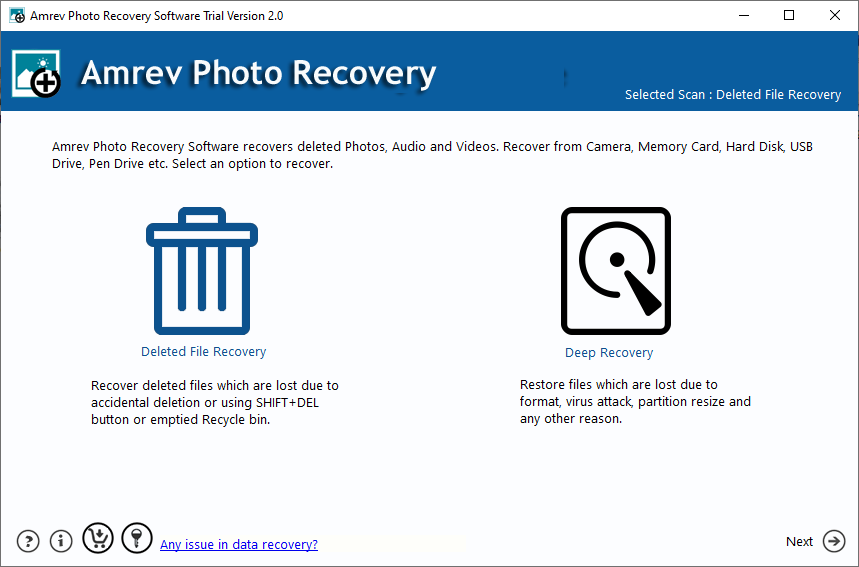
Step 2 : Select the Drive
Launch the software and select the hard drive from which you want to recover deleted photos.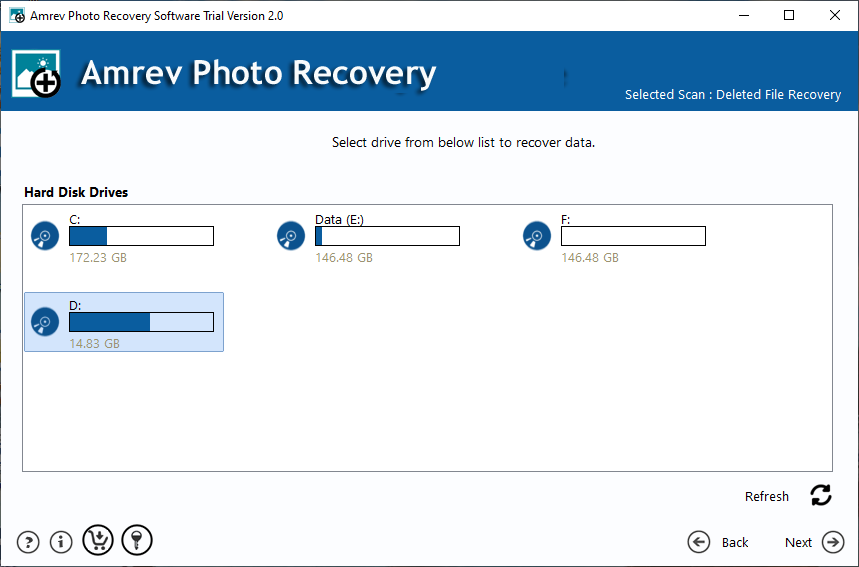
Step 2 : Scan the Drive
Start the scanning process. The tool performs a deep scan to locate deleted and lost images.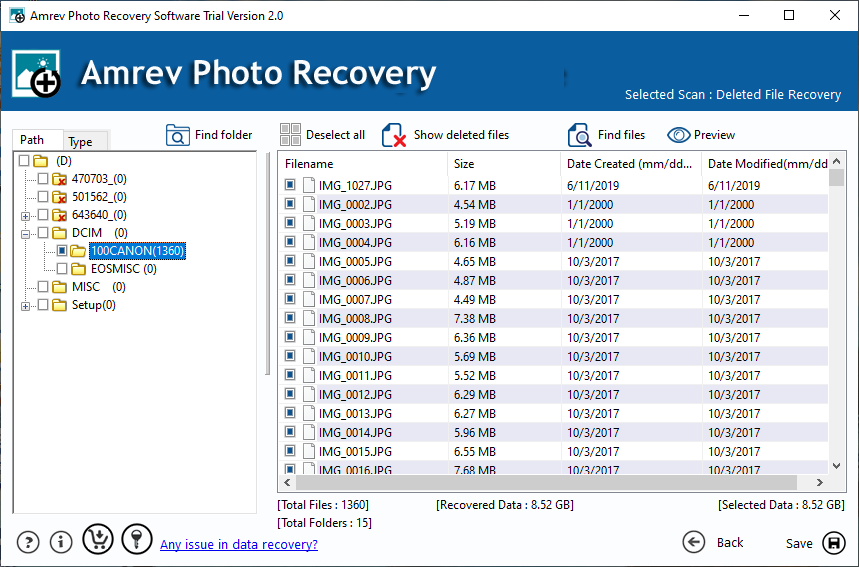
Step 3 :Preview and Recover.
After scanning, preview the recoverable photos and select the required files. Save them to a different location.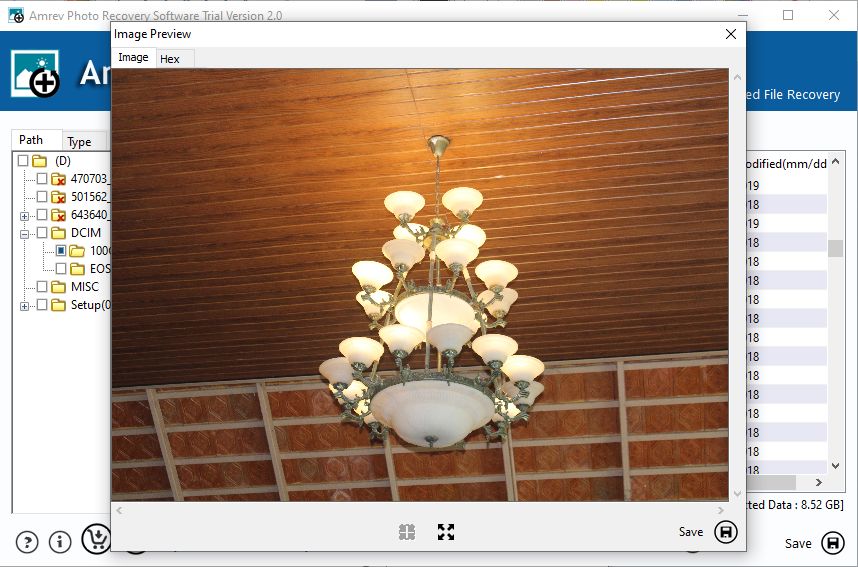
Tips to Increase Recovery Success
- Do not overwrite the drive after deletion
- Avoid installing software on the same drive
- Use trusted recovery software only
- Act quickly for better recovery results
Recover Your Deleted Photos Now
If you have lost important images, don’t worry. With the right tool, you can easily recover deleted photos from your hard drive.
When Can You Use Photo Recovery Software
- Accidental deletion of photos
- Formatted storage devices
- Virus or malware attack
- System crash or file corruption
- Lost or missing image files
Recover permanently deleted photos from hard drive on Windows using professional photo recovery software.
✔ Supports Windows 11/10 | ✔ Preview before recovery | ✔ Safe & secure
Recover your photos before they are permanently overwritten
Trusted by thousands of users for fast and reliable photo recovery
Frequently Asked Questions
What is the best photo recovery software for Windows?
A reliable tool with deep scan, preview option, and support for multiple formats is considered the best choice for recovering deleted photos.
Can I recover permanently deleted photos?
Yes, photos can be recovered if they have not been overwritten on the storage device.
Is the free trial useful?
Yes, the free trial allows you to scan and preview recoverable photos before purchasing the full version.
Can I recover photos from formatted drives?
Yes, advanced photo recovery software can recover photos even after formatting.