Photo Recovery Software Free Download for Windows
Download free trial photo recovery software
Why You Need Photo Recovery Software
Photos are valuable memories, and losing them due to accidental deletion, formatting, or system errors can be frustrating. Whether your images are stored on a hard drive, USB drive, or memory card, data loss can happen anytime.
Fortunately, deleted photos are not permanently erased immediately. With the help of professional photo recovery software, you can restore lost images quickly and safely.
Free Photo Recovery Software for Windows
Amrev photo recovery software for Windows provides a free trial version that allows you to scan your device and preview recoverable photos before purchasing. This ensures that your files can be recovered successfully.
The software uses advanced scanning algorithms to recover deleted and permanently lost photos from various storage devices.
Main Features
- Recover deleted and permanently deleted photos
- Supports JPG, PNG, RAW and other formats
- Recovers photos from hard drive, USB and SD card
- Deep scan for better recovery results
- Preview photos before recovery
- Safe and read-only recovery process
- Compatible with Windows 11 and Windows 10
Download the best free photo recovery software trial version for Windows and restore your deleted photos easily.
✔ Supports Windows 11/10 | ✔ Preview before recovery | ✔ Safe & secure
Recover your photos before they are permanently overwritten.
Trusted by thousands of users for fast and reliable photo recovery.
Steps to Recover Deleted Photos on Windows
Follow these simple steps:
Step 1: Install the Software
Download and install the best photo recovery software free download windows on your PC. Avoid installing it on the same drive where data was lost.
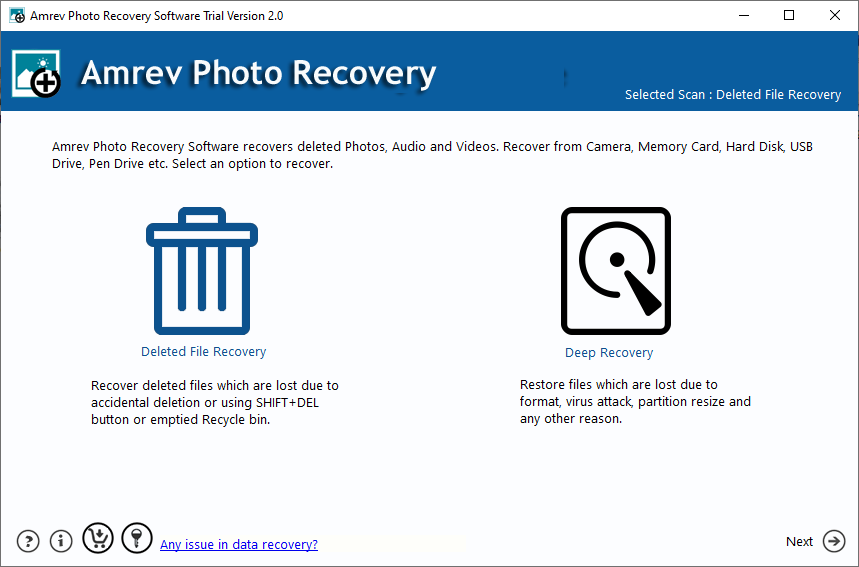
Step 2: Select the Drive
Select the drive from which you want to recover deleted photos.
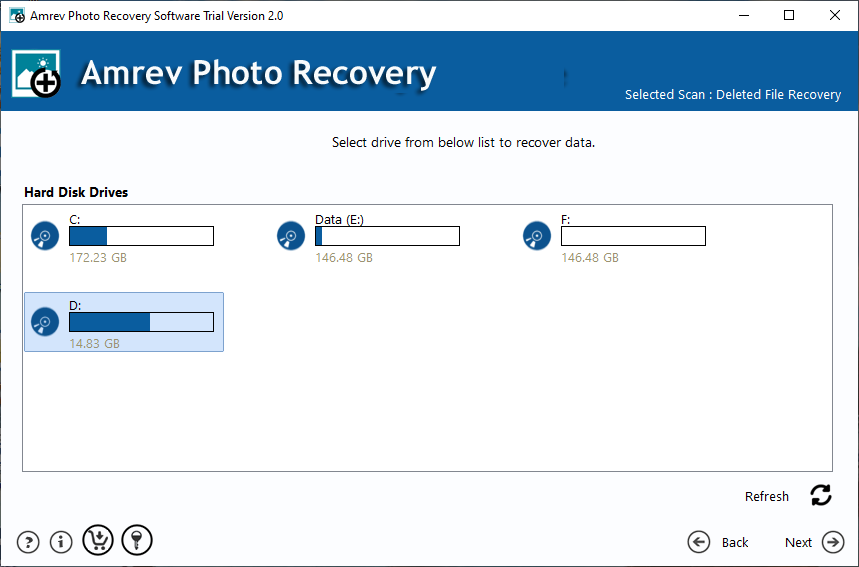
Step 3: Scan and Recover
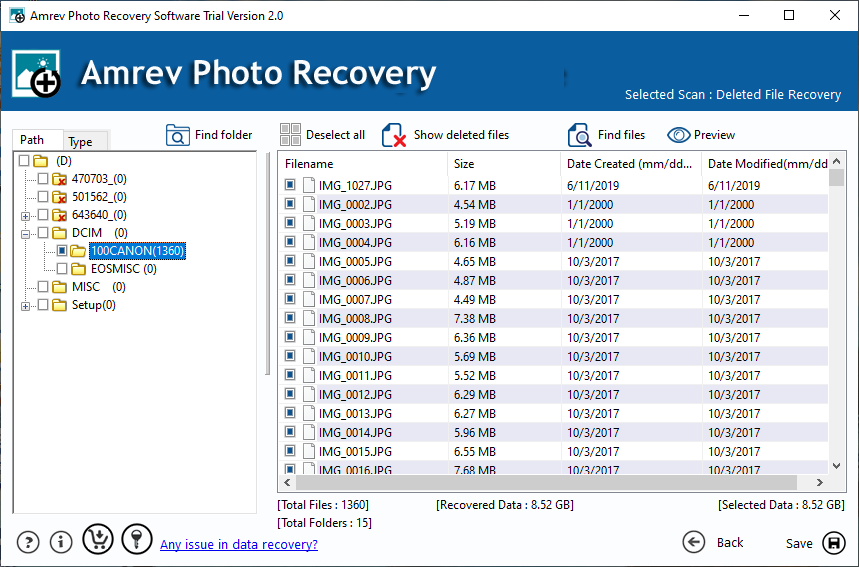
Start scanning, preview recoverable photos, and save them to a different location.
What Happens When Photos Are Deleted?
When you delete photos on Windows, they are moved to the Recycle Bin. If permanently deleted using Shift + Delete or after emptying the Recycle Bin, the files still remain on the storage device until overwritten.
Using professional photo recovery software allows you to scan and recover these deleted files effectively.