Overview
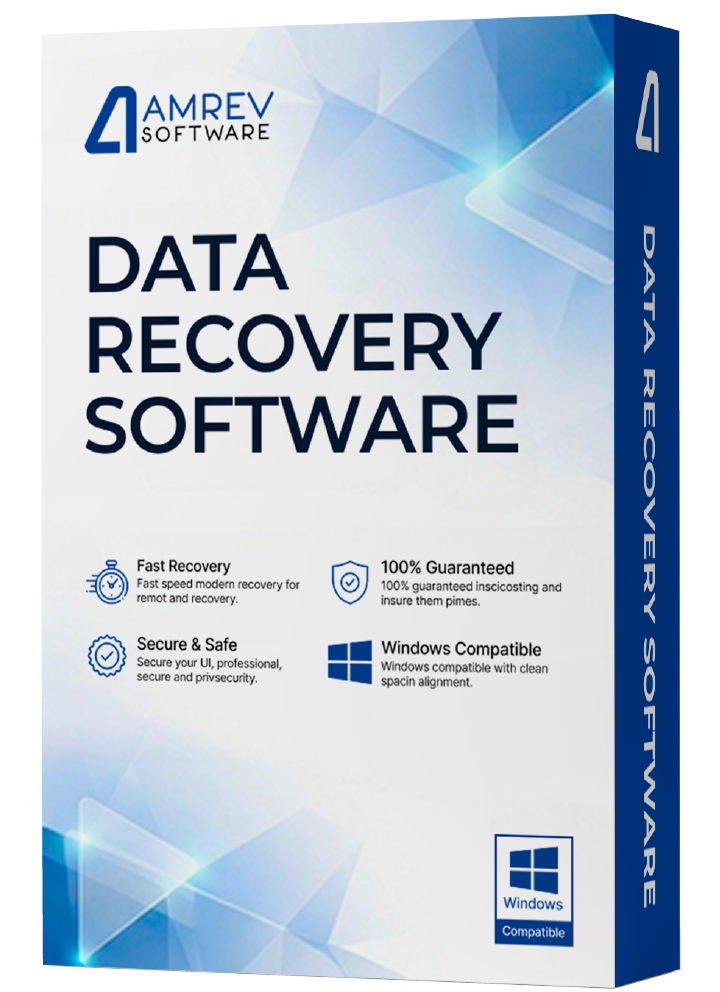
Amrev Data Recovery software for Windows is the most advanced software available to recover deleted files and retrieve formatted or lost data. It handles any data loss situation — memory cards, hard drives, external hard drives, USB drives, and other storage media lost due to deletion, formatting, software crash, virus attack, partition loss, or other unpredictable reasons.
How It Works
Recover your lost data in 3 simple steps
What to Do After Data Loss
- Do not use the storage device to copy data or capture images after data loss.
- Avoid low-quality recovery software that may permanently overwrite your data.
- Use Amrev Data Recovery Software immediately to maximise recovery chances.
Prominent Features of Data Recovery Software
Everything you need to recover your valuable data safely and efficiently.
Ease of Recovery
Highly advanced and easy to use. Recover deleted data from a variety of devices without any prior technical knowledge.
All Data Loss Scenarios
Recover data lost due to deletion, OS crash, formatting, system errors, virus attacks, and any other reasons.
Deep Scan Algorithm
Highly advanced Deep Scan algorithm thoroughly scans drives and recovers data using all possible detection techniques.
All Storage Media Supported
Recovers data from pen drives, laptops, USB drives, memory cards, digital cameras, and many other storage devices.
Preview Before Recovery
Preview the quality of recovered data before you decide to purchase — ensuring you get exactly what you need.
File Systems Supported
Supports full recovery of files from FAT32 and NTFS file systems without any data corruption.
Screenshots / How to Use
Follow these simple steps to recover your lost data in minutes.
Important: Do not install, copy, or download the software to the drive from which data needs to be recovered. This would permanently overwrite files beyond recovery.
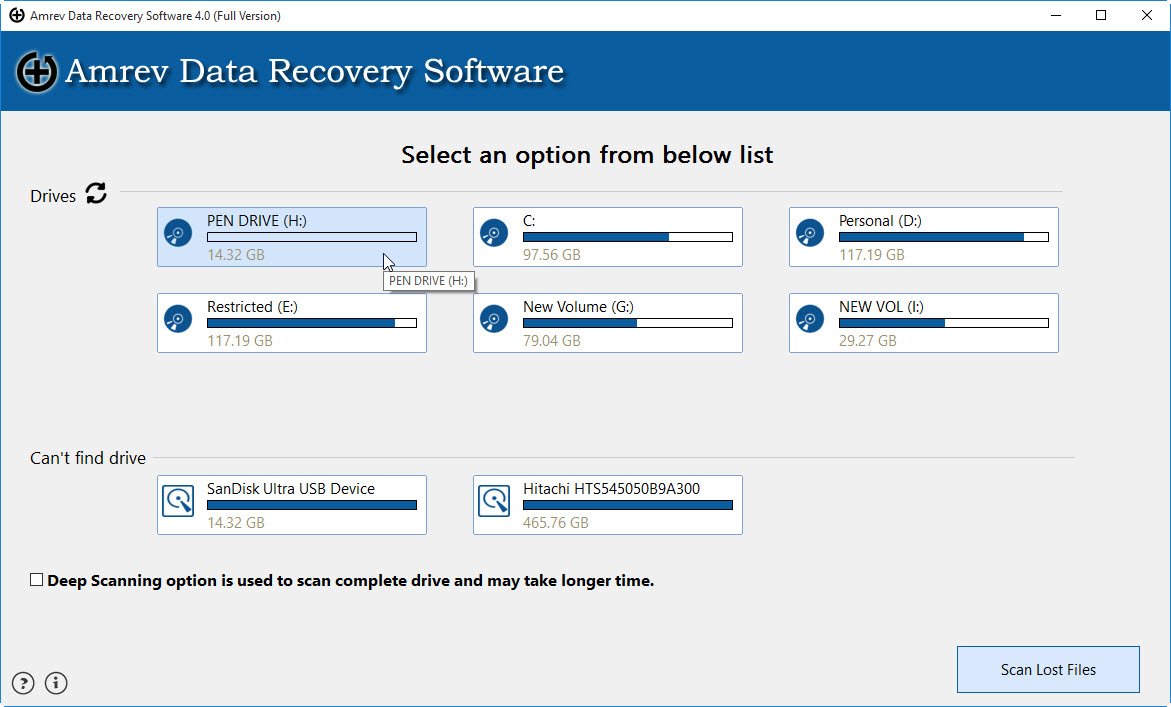
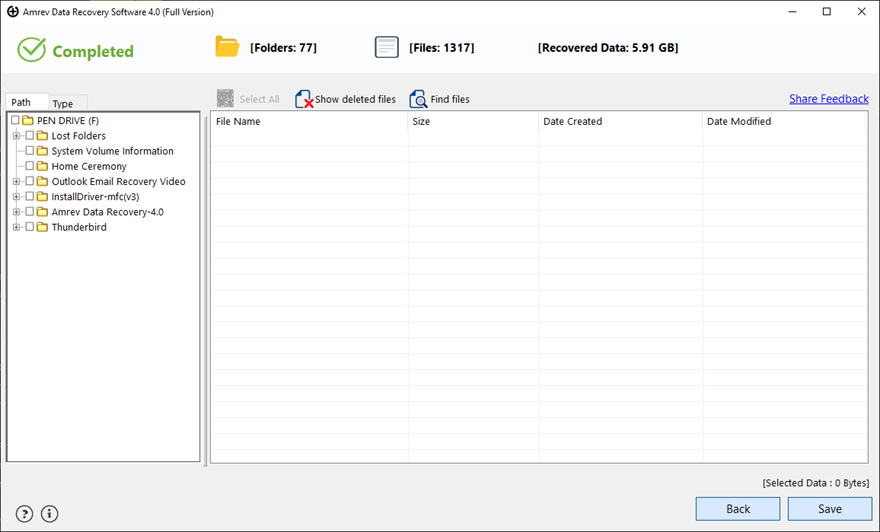
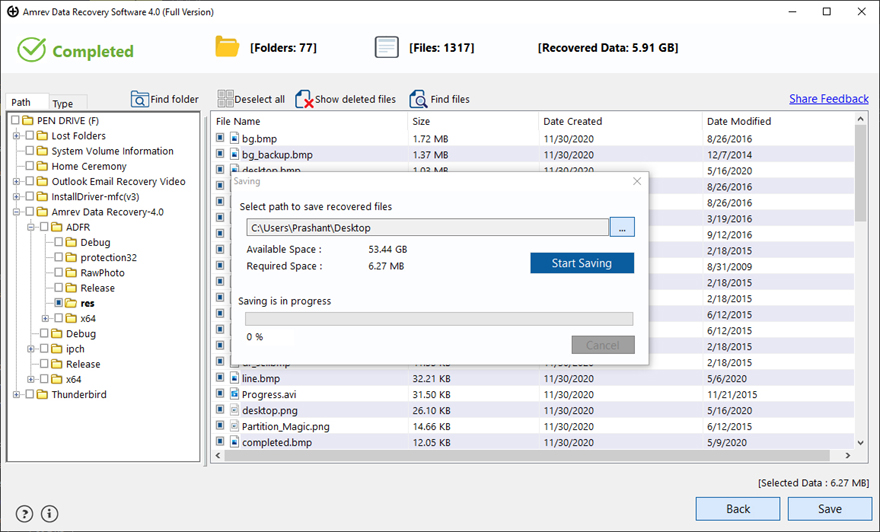
The "Save" option is disabled in the trial version. Purchase a license to activate full saving. Do not save recovered files to the same drive you are recovering from.
How to Activate the Full Version
Convert your trial to full version instantly using your license key.
The trial version is identical to the full version — only the Save feature is locked. Enter your license key to unlock it instantly.
Requirements
Activation Steps
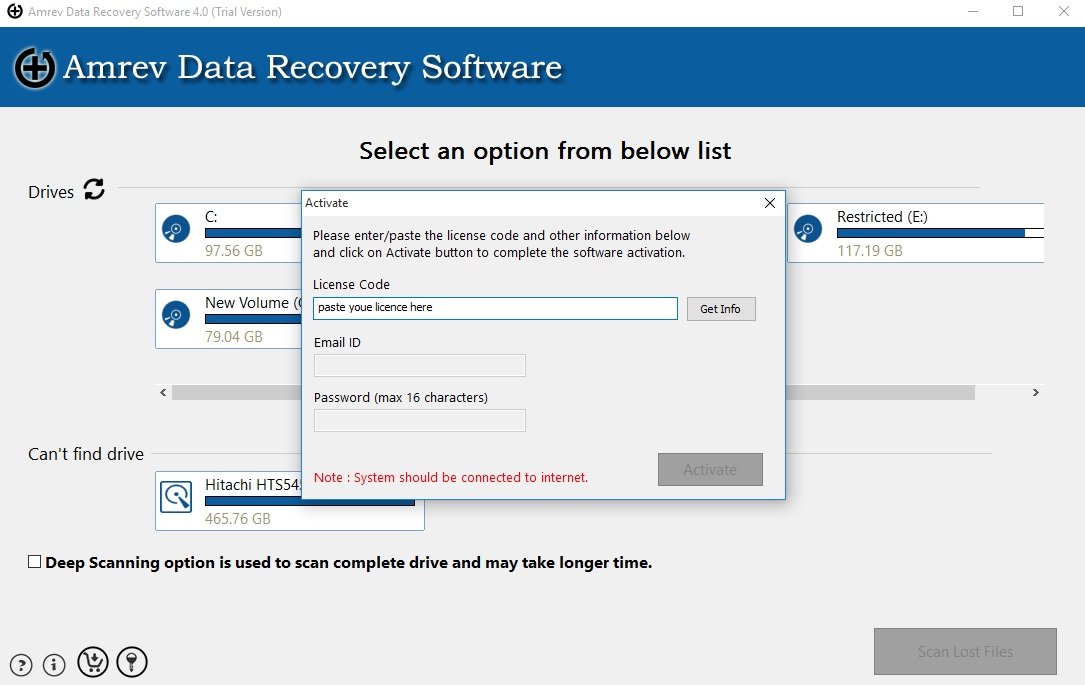
Activation completes instantly with a valid license key.
See It In Action
Watch how easy it is to recover your deleted files and folders using Amrev Data Recovery Software.
Frequently Asked Questions
Quick answers to the most common questions about Amrev Data Recovery Software.